Ingest

Origin data, read from the systems it already sits in

A cooperative in Ghana will not log into your compliance tool, and your trading desk will not replace an ERP it has run for twenty years because of a regulation. Grovetrace reads the data where it already is, in whatever shape it already arrives in. That is what the platform is built around.

Sources

Connectors and supported sources

A source is configured once with its credentials and a schedule, in cron or from a preset, with the next run shown in words. It then keeps pulling on its own, and over time it is the mapping you adjust while the integration stays as configured.

  • SQL ServerRead straight from the ERP database you already run, with INFORMATION_SCHEMA introspection so you pick tables instead of writing the join.
  • PostgreSQLThe same, for anything running on Postgres.
  • REST APIAny system with an HTTP interface, polled on your schedule with its pagination handled.
  • FarmForceField-data platform used at origin for farmer and plot registration, connected through its own connector as a first-class source.
  • CSV or XLSXThe spreadsheet somebody emailed, which is still how a great deal of origin data arrives.

AS/400, SFTP drops and inbound webhooks are modelled as source types, but their connectors are not built yet. If your data arrives by one of them, raise it on the call: building a connector is scoped work against an existing pipeline, and it is the kind of request a design partner moves to the front of the queue.

Mapping

Field mapping onto three target entities

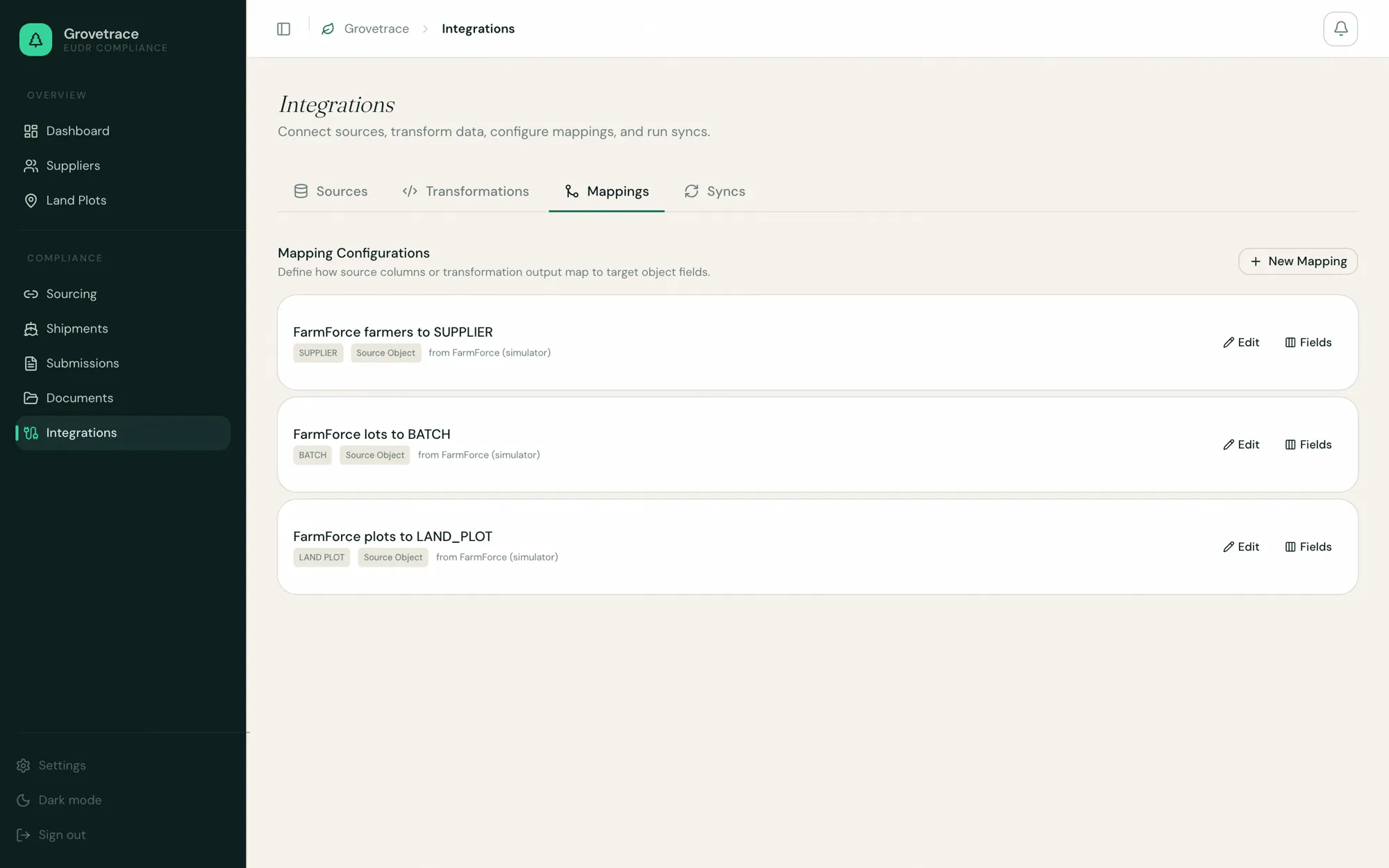
You point every source column at one of three targets. The screen below is the real one: three FarmForce mappings configured against a single source.

  • SUPPLIER

    Supplier

    Farmers, cooperatives and exporters, whatever the source calls them.

  • LAND_PLOT

    Land plot

    Points and polygons, with country, region and area.

  • BATCH

    Batch

    Lots and deliveries, including the purchase-order stream from an ERP.

Grovetrace field mapping screen showing three configured FarmForce mappings: farmers to SUPPLIER, lots to BATCH, and plots to LAND_PLOT.
The hard cases

Common data problems, and how they are handled

Each of these has broken a cocoa programme somewhere. They are worth putting to any vendor you evaluate, including this one.

The same farm arrives from two systems

Resolved on ingest

The field tool holds a farmer ID, the ERP a vendor code, the cooperative spreadsheet a name spelled three ways. A plot is unique per supplier by its external identifier, so the second arrival updates the first instead of creating a duplicate nobody notices until a statement names both.

A sync runs twice, or the source pages overlap

Idempotent

Records land in a raw staging table keyed on their identity, and a re-run over unchanged or overlapping source data collapses to a single row, last occurrence wins. Without it, everything downstream would process the duplicates as real deliveries.

A column means something different this month

Re-mappable

Mappings are versioned configuration. A source that renames a column, or starts sending hectares where it used to send acres, needs one change to the mapping and no migration.

The data is simply incomplete

Surfaced early

The common case, and not a parsing problem. Incomplete origin data surfaces as a supplier whose plot coverage is short and an order that cannot yet be filed, months ahead of the submission window instead of inside it.
The pipeline

The ingestion pipeline

Four stages between the pull and the plot, each with its own job history, so a failure names the stage it happened in instead of arriving as “the sync broke”.

  1. Ingest

    The connector pulls on its schedule, or on demand from a Run now button, and each run shows as running, completed or failed against the source it belongs to.

  2. Stage

    Rows land untouched in a raw table keyed on their own identity. Nothing has been interpreted at this point, and that is what makes the step safe to re-run.

  3. Transform

    Named transformations reshape the raw rows, including read-only SQL over a temporary view of them where a field mapping is not enough. Output columns are declared, so the next stage knows what it is being handed.

  4. Promote

    Rows become suppliers, plots and batches only at this stage. A promotion that fails names the record and the field, and the raw row stays in place so you can correct the mapping and run it again.

After ingest

Every record traces back to its source row

Raw records are staged before they become suppliers, plots or batches, and promotion is a separate step with its own job history. When a promotion fails because a required field is missing, the failure names the exact record and field that caused it.

It also works in the other direction: a plot in the application links back to the source row it came from, so “where did this hectare figure come from” has an answer instead of an argument.

Back to the platform overview
Next step

Send a sample and we will map it on the call

Bring one export from the messiest source you have. Twenty minutes is enough to configure a mapping against it and see what resolves and what does not.

No data leaves the call unless you want it to. To send a file ahead of time, email hello@grovetrace.com and it is loaded into an organization only your team can see.